> ## Documentation Index
> Fetch the complete documentation index at: https://cashfreepayments-d00050e9-theme-update.mintlify.site/llms.txt
> Use this file to discover all available pages before exploring further.
# Verify Aadhaar (Standard and OCR)
Aadhaar is a unique 12-digit number used to verify an individual’s identity. Aadhaar details of individuals are a critical requirement in every sector. Aadhaar verification is required during the customer onboarding process for various platforms like **NBFCs**, **Banks**, **Lending companies**, **Insurance companies**. Businesses use the unique 12-digit Aadhaar number to establish proof of identity(POI) and proof of address(POA) of an individual. Offline Aadhaar KYC (OKYC) is an Aadhaar OTP verification mechanism that is a legally compliant way to verify Aadhaar as approved under UIDAI guidelines. You can verify the Aadhaar information using the dashboard or via APIs.
> 👍 Verify Aadhaar for Free!
>
> You can verify your beneficiary Aadhaar details for free using Free Credits. With this limited-time offer, experience and test the feature without paying any verification charges.
>
> A banner displays the offer for you on the **Verification Suite - OKYC** page (Verification Suite Dashboard > Verification Suite - OKYC). Click **Claim Free Credits** and instantly redeem the credits to your account.
Offline Aadhaar Verification is recommended for platforms like eCommerce, staffing and recruitment, logistics, banks, payments and neo-banks, trading, investments, lending, insurance companies, and more.
Offline Aadhaar KYC can be used for various purposes such as onboarding users, opening new bank accounts, disbursement of loans, allocating SIM cards, obtaining permanent account numbers, or filing income taxes.
To verify Aadhaar offline,
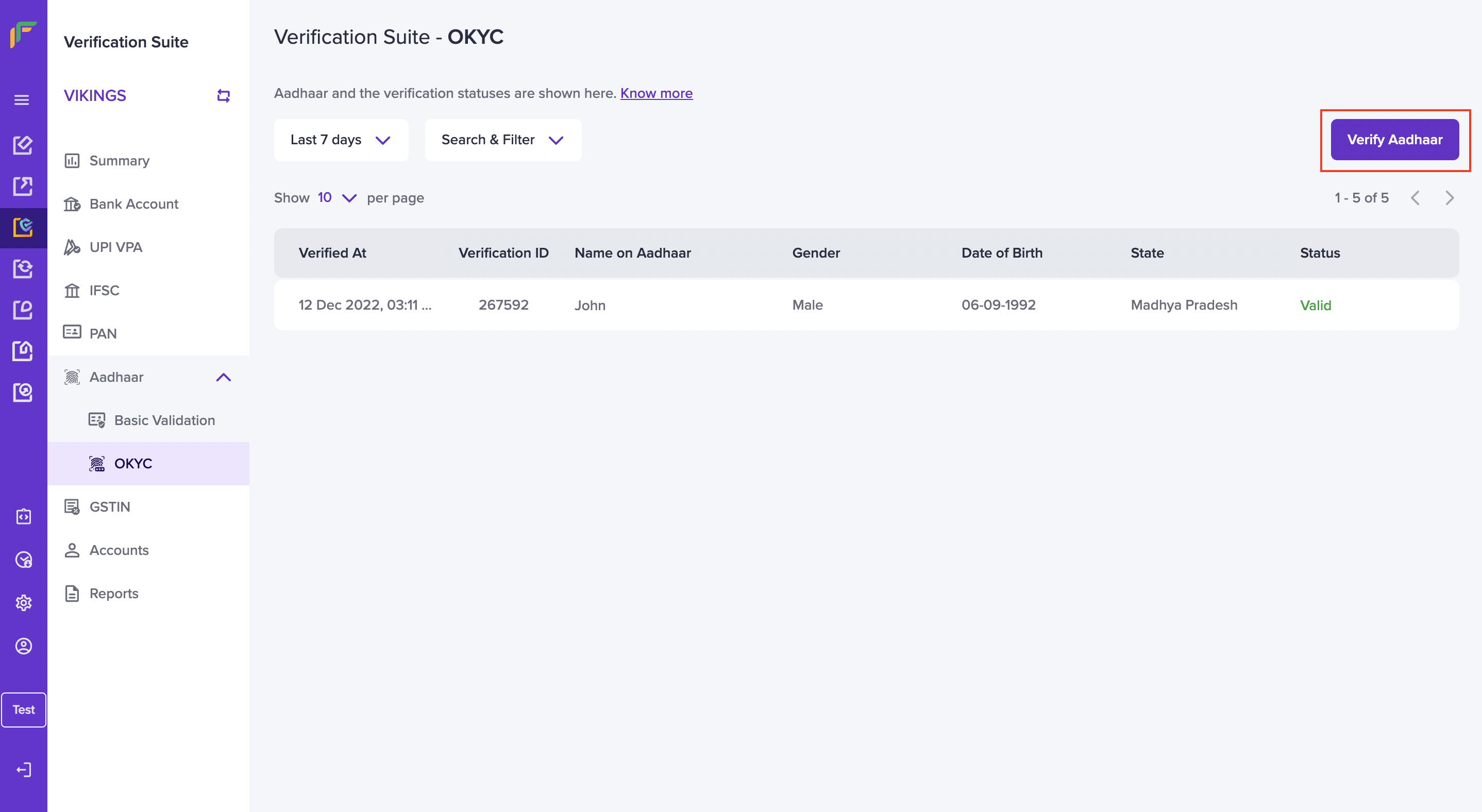
1. Go to **Verification Suite Dashboard** > **Aadhaar** > **OKYC** > click **Verify Aadhaar**.
2. To verify Aadhaar, enter the Aadhaar number and click **Verify**. Using the Aadhaar OTP verification API, an OTP will be sent to the Aadhaar-linked mobile number of the customer. The OTP will be valid for 10 minutes.
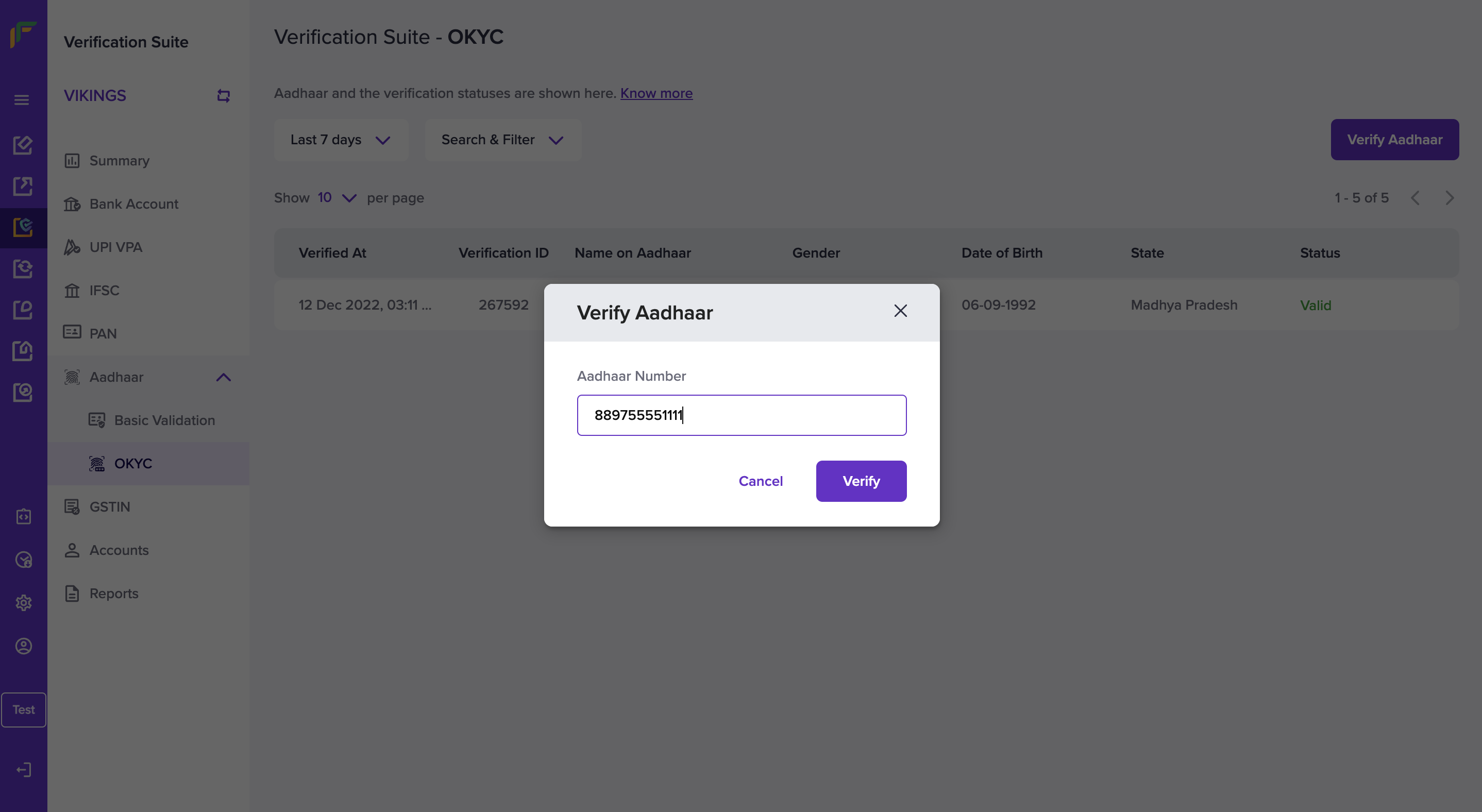
3. Enter the 6-digit OTP received by the customer to verify the Aadhaar details.
You will see a success message if the Aadhaar number and the OTP you entered are valid. You will see details like name, gender, address, state, UIDAI registered customer’s image, father's name, date of birth, contact number, and email address of the Aadhaar card holder.
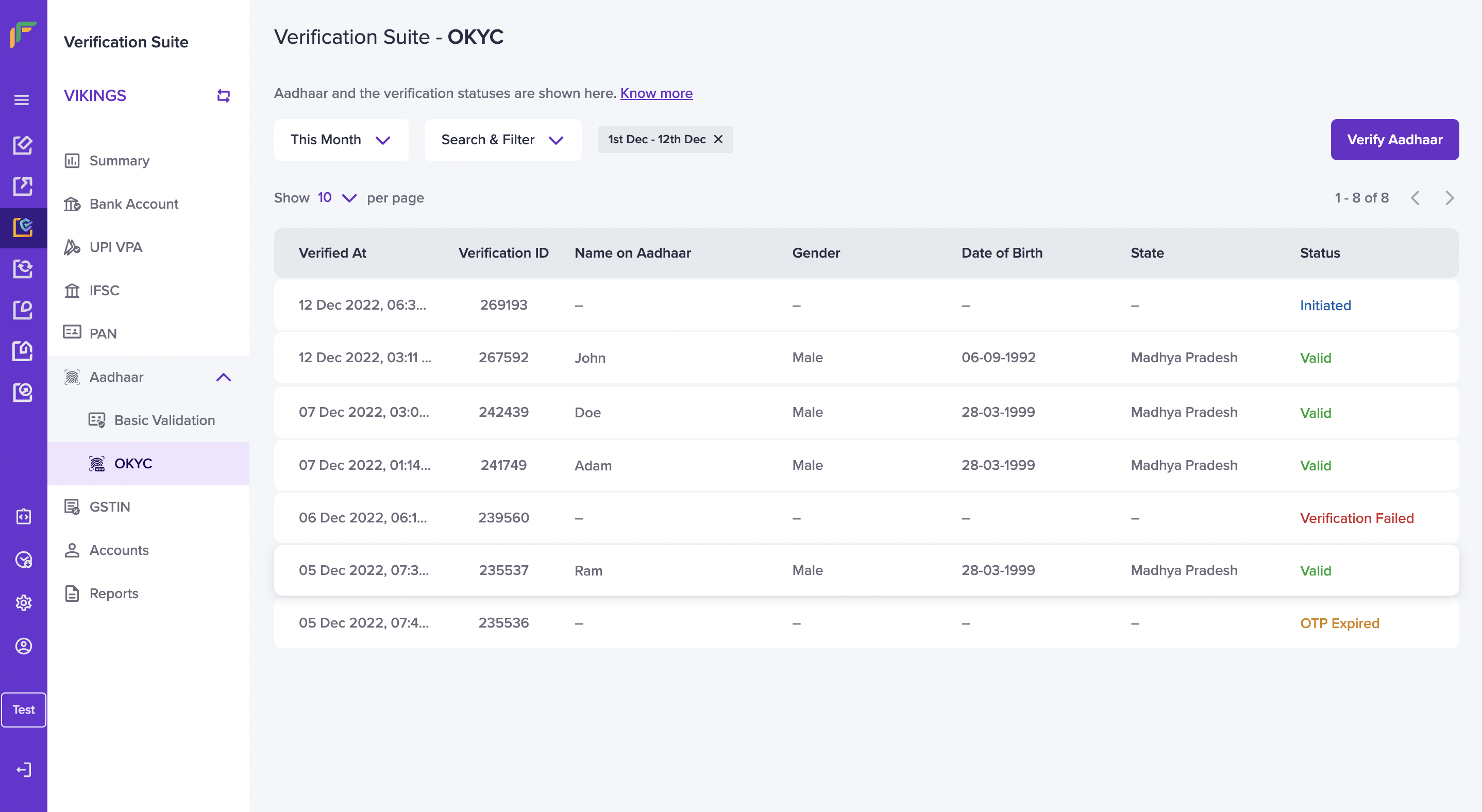
All Aadhaar that you verify will be visible and available for your reference in the Verification Suite - Aadhaar OKYC screen. You can search and filter for the details based on the status - **Valid**, **Invalid**, **Verification Failed**, **OTP Expired**, and **Initiated**.
> 📘 You can also use our API to [verify Aadhaar details offline](/api-reference/vrs/v2/aadhaar/generate-otp-to-verify-aadhaar).
## Verify Aadhaar via OCR
You can verify the Aadhaar information of your customers using optical character recognition(OCR) with Cashfree Payments and save your time. This technology recognises the text in an image or a scanned document and converts the text in the image to machine readable text format.
Improve the customer onboarding process by eliminating the tedious manual process of document verification.
Without human intervention, the accuracy of identifying and verifying the documents is higher.
We are in the process of developing an exciting dashboard for you very soon. Until then, use our [Smart OCR](/api-reference/vrs/v2/smart-ocr/smart-ocr).
**Avoid the following mistakes while uploading the Aadhaar card for verification:**
* Case 1: Uploading both sides of the Aadhaar card as the front image.
* Case 2: Uploading a front image with a scratched Aadhaar number, even if the back image is clear.
* Case 3: Taking an image from too far away, making the Aadhaar number unclear.
* Case 4: Including additional objects in the image with the Aadhaar card.
## FAQs
posthog.capture('Accordion Clicked', { title: "Can I verify the Aadhaar by just knowing the name of the person?" })}>
No, to verify an Aadhaar card, it is mandatory to enter the Aadhaar number.
{" "}
posthog.capture('Accordion Clicked', { title: "What is online Aadhaar Verification?" })}>
Online Aadhaar Verification lets businesses validate and verify the
authenticity of their customer/vendor/employee’s Aadhaar card in order to
avoid identity theft or deal with fraudsters.
{" "}
posthog.capture('Accordion Clicked', { title: "What are the details I need to input to verify an Aadhaar?" })}>
All you need to input is the 12-digit Aadhaar number of the individual and you
will get an instant verification status.
posthog.capture('Accordion Clicked', { title: "What are the details that I will be able to see on verifying an Aadhaar card?" })}>
Once an Aadhaar number is entered, the system will return whether the Aadhaar is valid or not along with the following details (if valid):
* Age band
* Gender
* State
* Mobile number last three digits
{" "}
posthog.capture('Accordion Clicked', { title: "Do I have to pay in advance, or can I pay after the Aadhaar verification is done?" })}>
There is an option to pay either way - pre-paid or post-paid. Please get in
touch with our sales team to find the best suitable method for you.
{" "}
posthog.capture('Accordion Clicked', { title: "What is OTP-based Aadhaar Verification?" })}>
OTP-based Aadhaar Verification/ OKYC will enable merchants to verify the
identity of their users against the 12-digit Aadhaar number of the users,
followed by an OTP authentication generated on the Aadhaar-registered mobile
number. A detailed response will be provided to the merchants which can be
used to verify the identity of individuals.
posthog.capture('Accordion Clicked', { title: "What all details can be verified through OTP-based Aadhaar Verification?" })}>
The following details can be verified through OTP-based Aadhaar Verification, by Cashfree Payments:
* Registered Name
* Gender
* Address
* State
* Image of the user
* Father's Name
* Date of Birth
* Contact Number
* Email Address
posthog.capture('Accordion Clicked', { title: "How much do I have to pay for OKYC?" })}>
Aadhaar Verification is priced at ₹1 per verification.
OKYC, the integrated premium OTP-based Aadhaar Verification is priced at ₹1.5.
Note: Limited time offer you can now grab the deal at just ₹1 per Verification. Valid from 15th Nov to 15th Dec.
posthog.capture('Accordion Clicked', { title: "What is the validity of the received OTP?" })}>
* The generated OTP will be valid for 10 Minutes.
* In case the user hasn’t received the OTP in the 1st go, you can generate the second OTP only after 45 seconds of the 1st try. (The OTP can generate maximum of 6 times)