> ## Documentation Index
> Fetch the complete documentation index at: https://cashfreepayments-d00050e9-theme-update.mintlify.site/llms.txt
> Use this file to discover all available pages before exploring further.
# Cashien AI
**Cashien AI** is an AI-powered assistant that helps you integrate with Cashfree Payments. Cashien AI is fine-tuned with Cashfree-specific knowledge. It provides real-time, context-aware code suggestions and guidance for payment flows, SDK setup, error resolution, and integration best practices.
Use Cashien AI to:
* Get answers to questions about Cashfree APIs and products.
* Access code snippets and follow step-by-step guidance.
* Resolve integration issues and ask follow-up questions.
You can access Cashien AI in the following ways:
**Copilot chat participant**
* Easy to set up and integrate.
* Automatically pastes and adapts responses within your codebase using GitHub Copilot.
* Eliminates context switching, no need to open a browser or search external help.
* Requires manual insertion of code into your project.
Click here to install [Cashien AI Copilot chat](https://marketplace.visualstudio.com/items?itemName=vscode-cf.cashien). For a detailed guide, refer to the [installation steps](/tools-ai/cashien-ai#installing-cashien-ai-copilot-chat).
**Cashfree MCP**
* Use Agent mode to search the codebase, identify relevant files, and insert code.
* Access help content while writing code in the same interface.
* Test APIs directly within the tool.
* Works with all MCP clients, including the Claude app.
* Requires moderate setup and integration effort.
Click here to install [Cashfree Local MCP](https://github.com/cashfree/cashfree-mcp). For a detailed guide on using remote and local MCP servers, refer to the [MCP Server](/tools-ai/mcp-server).
## Supported languages
Cashien AI supports a wide range of programming languages, including:
* C#
* Go
* Java
* JavaScript
* Kotlin
* PHP
* Python
* Ruby
* Swift
* TypeScript
## Installing Cashien AI Copilot chat
Before installing Cashien AI, ensure the following:
* Visual Studio Code is installed.
* GitHub Copilot is installed and configured.
To install Cashien AI in Visual Studio Code:
1. Open Visual Studio Code.
2. Open the Extensions view:
* Select the Extensions icon, or
* Press **Ctrl+Shift+X** (Windows/Linux) or **Cmd+Shift+X** (macOS).
3. Search for **Cashien AI** and click **Install**.
4. Enable the extension after installation.
5. Select **Enable Auto Update** to receive the latest updates and features.
### Getting started
To open the Cashien chat interface:
1. Open the Command Palette:
* Press **Ctrl+Shift+P** (Windows/Linux) or **Cmd+Shift+P** (macOS).
2. Search for and select **Cashien: Open Cashien Chat**. In the chat interface, perform the following:
* Type **@cashien** to add the assistant as a chat participant.
* Set **Chat Mode** to **Ask**.
* Select your preferred LLM model.
* Enter your integration-related queries.
You can use the following commands in the chat:
* **Open Cashien chat** – Launches the Cashien AI chat interface.
* **@cashien** – Invokes the assistant for Cashfree-specific queries.
* **/clear** – Clears chat history and resets the current session.
### Sample prompts
Use these example prompts to get started with Cashien AI:
* How do I create an order using the Cashfree Payments API?
* Provide code to initiate a refund using the Cashfree Python SDK.
* I’m seeing an `order_already_exists` error in the Create Order API. How can I resolve it?
* Integrate the Cashfree iOS SDK into a Swift app using hosted checkout.
* Create a Node.js flow: If payment fails, generate a new link and email it to the customer.
Refer to the following video for sample use case:
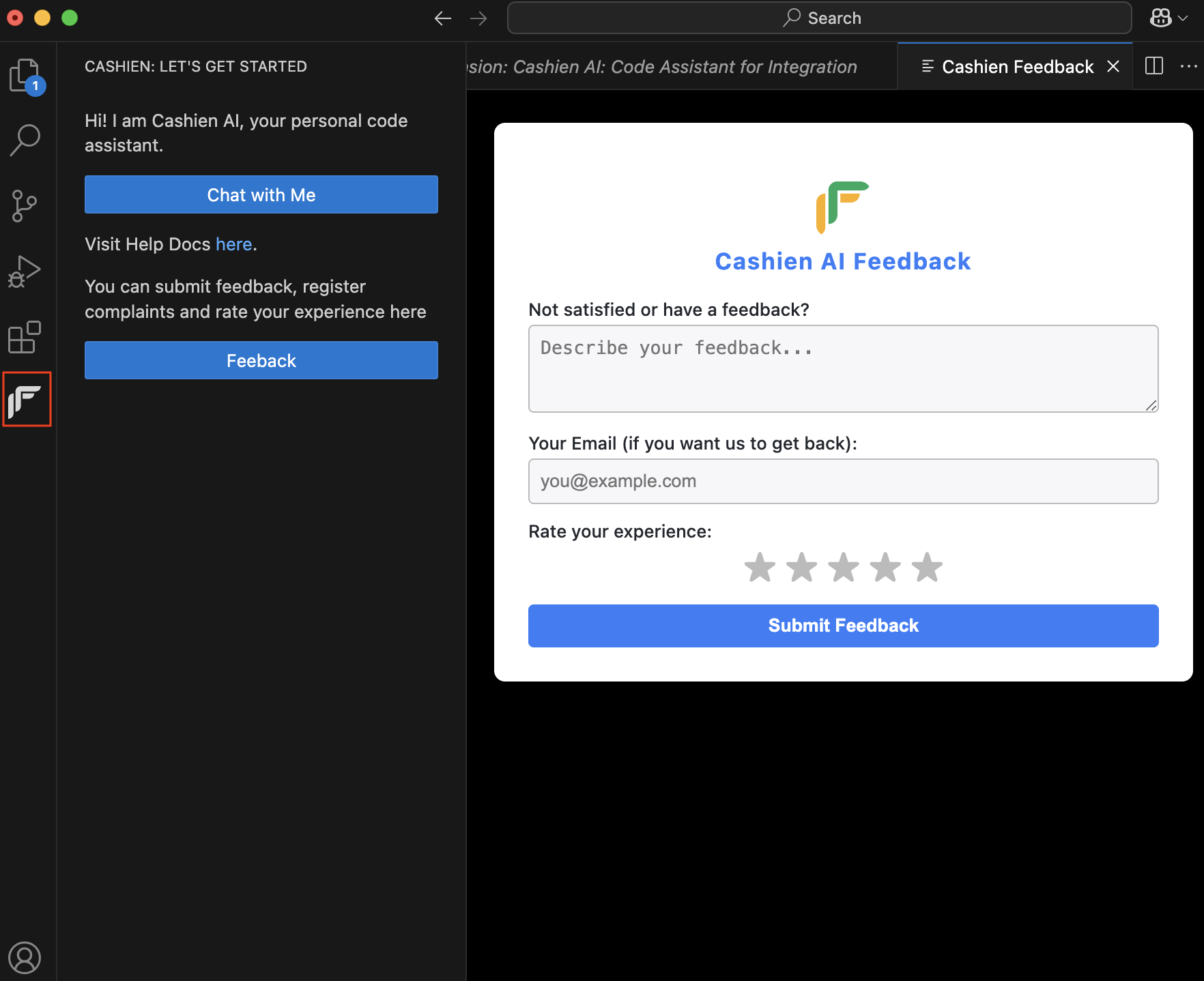
**Send us your feedback**
Help us improve Cashien AI by sharing your feedback or reporting issues. To submit feedback, click the Cashfree icon in Visual Studio Code side panel.