- Websites: Domain whitelisting
- Mobile apps: Package name whitelisting
Submitting a whitelist request
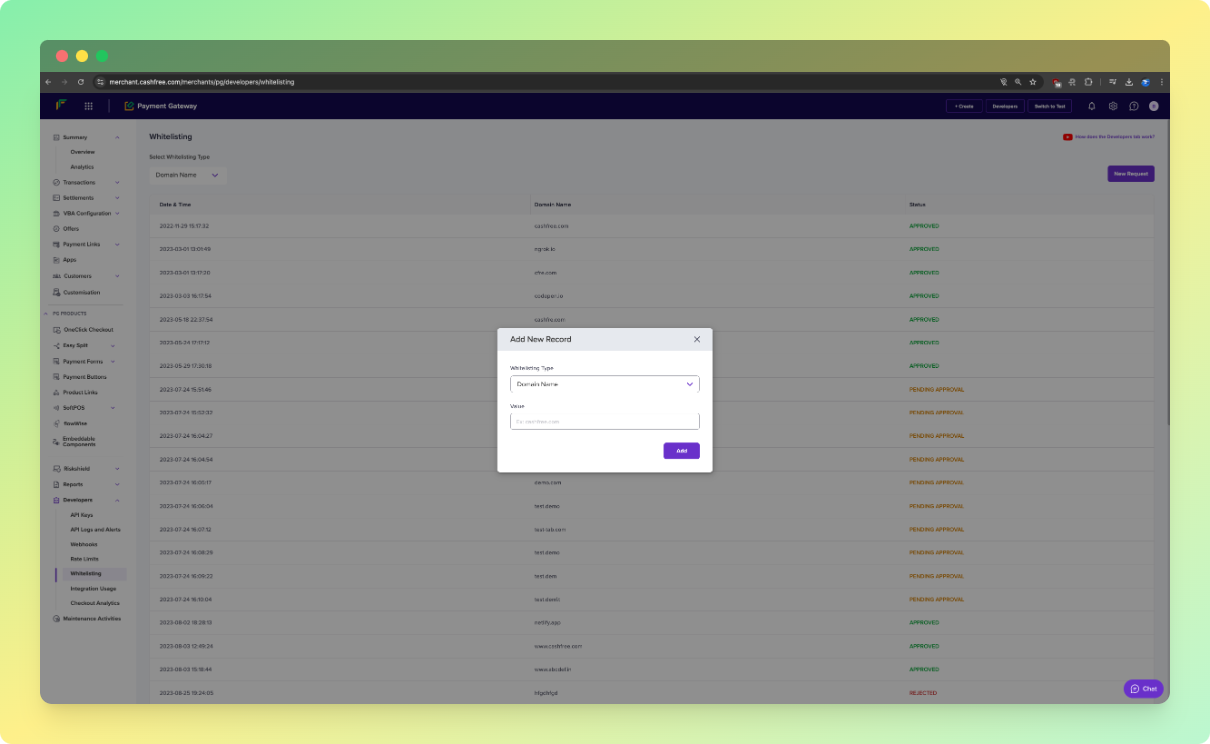
- Go to Payment Gateway Dashboard > Developers > Whitelisting.
- Click Add New.
- Select the whitelisting type:
- Domain name (for websites).
- App package (for mobile apps).
- Enter the required value and click Proceed.
- Ensure the following details are present on your website for whitelisting:
- Policy pages:
- Contact Us
- Terms and Conditions
- Refunds and Cancellations
- Other details:
- Products or services should be listed.
- Product or service pricing should be in INR.
- Policy pages:
- Click Confirm & Proceed. Your website or app will be reviewed and approved.
Format guidelines
Domain names
✅ Correct:cashfree.com❌ Incorrect:
www.cashfree.com❌ Incorrect:
https://www.cashfree.com❌ Incorrect:
https://www.cashfree.com/❌ Incorrect:
https://www.cashfree.com:8000/
Package names
✅ Correct:com.cashfree.merchant
Tracking your request
You can track the status of your whitelisting request from the whitelisting homepage. The dashboard displays:- Submission date and time.
- Domain or package name.
- Current status.
Processing time
- Standard processing time: Within 24 hours.
- For urgent queries: Fill out the support form.