

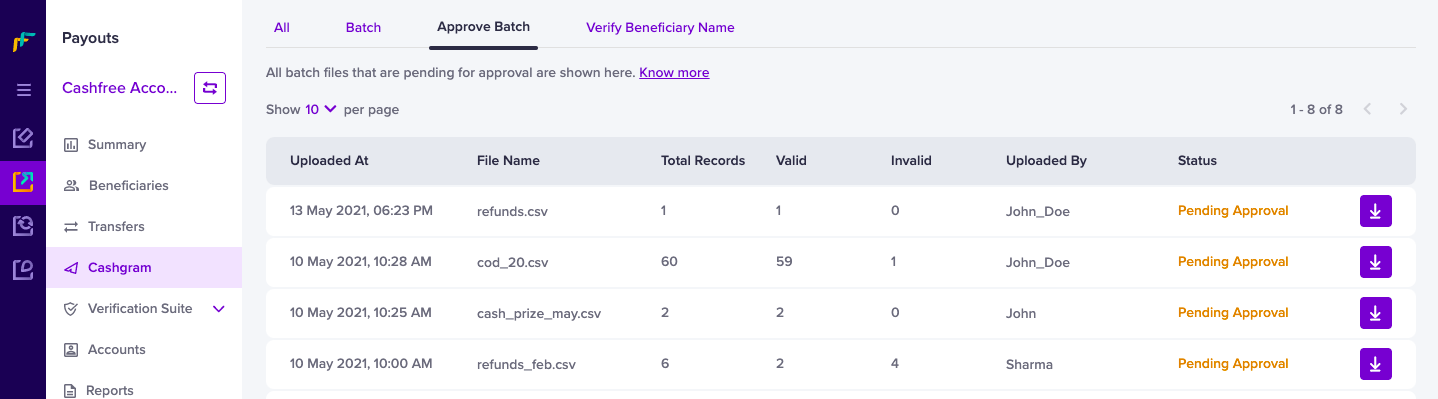
 One of the users in your company can add the required details in a file and upload it. The approver can approve or reject the file. After approval, the Cashgrams are sent to beneficiaries, and you can view the status of the Cashgram in the Dashboard.
To view and approve the Cashgrams,
One of the users in your company can add the required details in a file and upload it. The approver can approve or reject the file. After approval, the Cashgrams are sent to beneficiaries, and you can view the status of the Cashgram in the Dashboard.
To view and approve the Cashgrams,
- Go to Payouts Dashboard > Cashgram > Approve Batch.
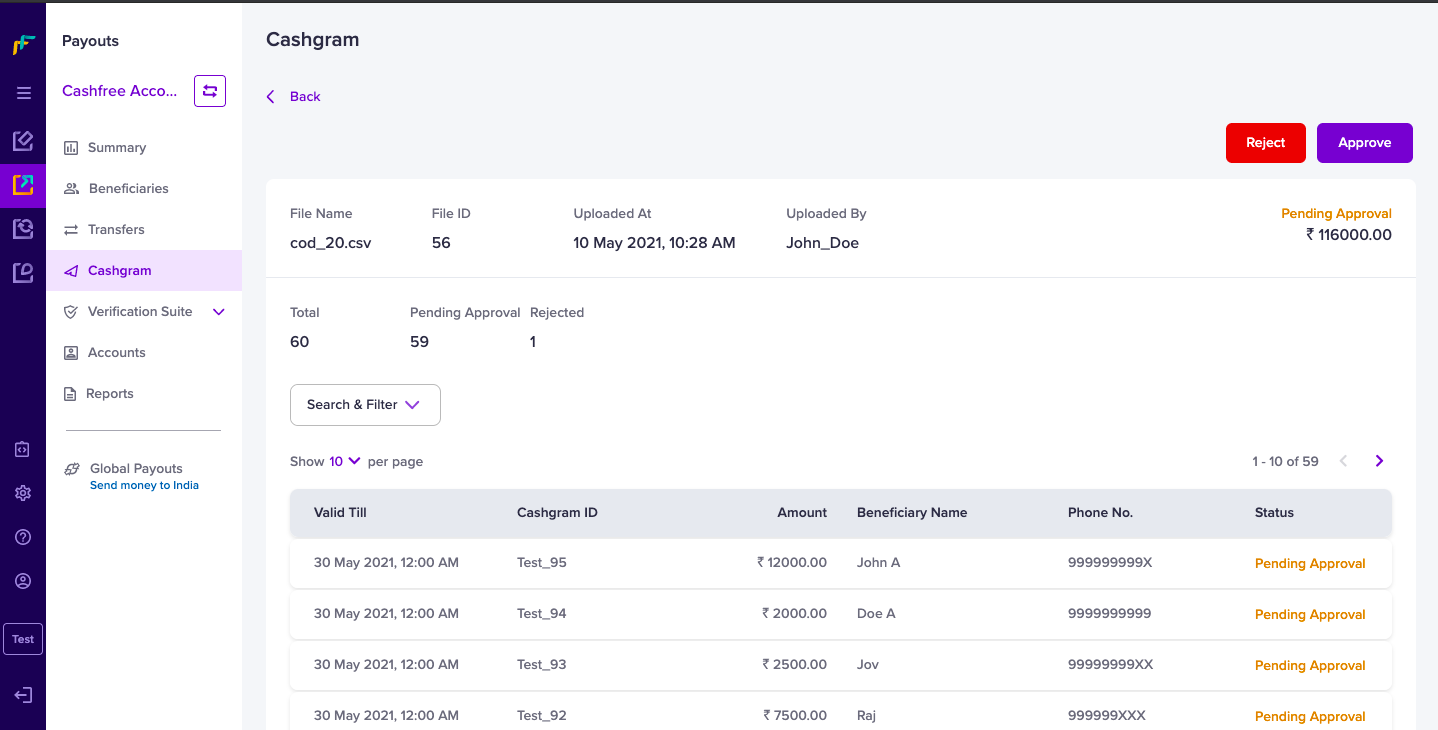
- Select the file you want to approve, and click Approve. All file details and the details of the individual who uploaded the file will be displayed here as shown below:
 The option to create multiple users and assign permissions can be done from the Profile section.