Virtual accounts help streamlines the management of funds, enhance tracking capabilities, and simplify the financial process.
Create a virtual account
Follow the instructions below to create a virtual account:
- Login to the Payouts dashboard using your credentials.
- From the navigation pane, click One Escrow > Escrow Account.
- Click Create Virtual Account in the One Escrow - Escrow Account page.
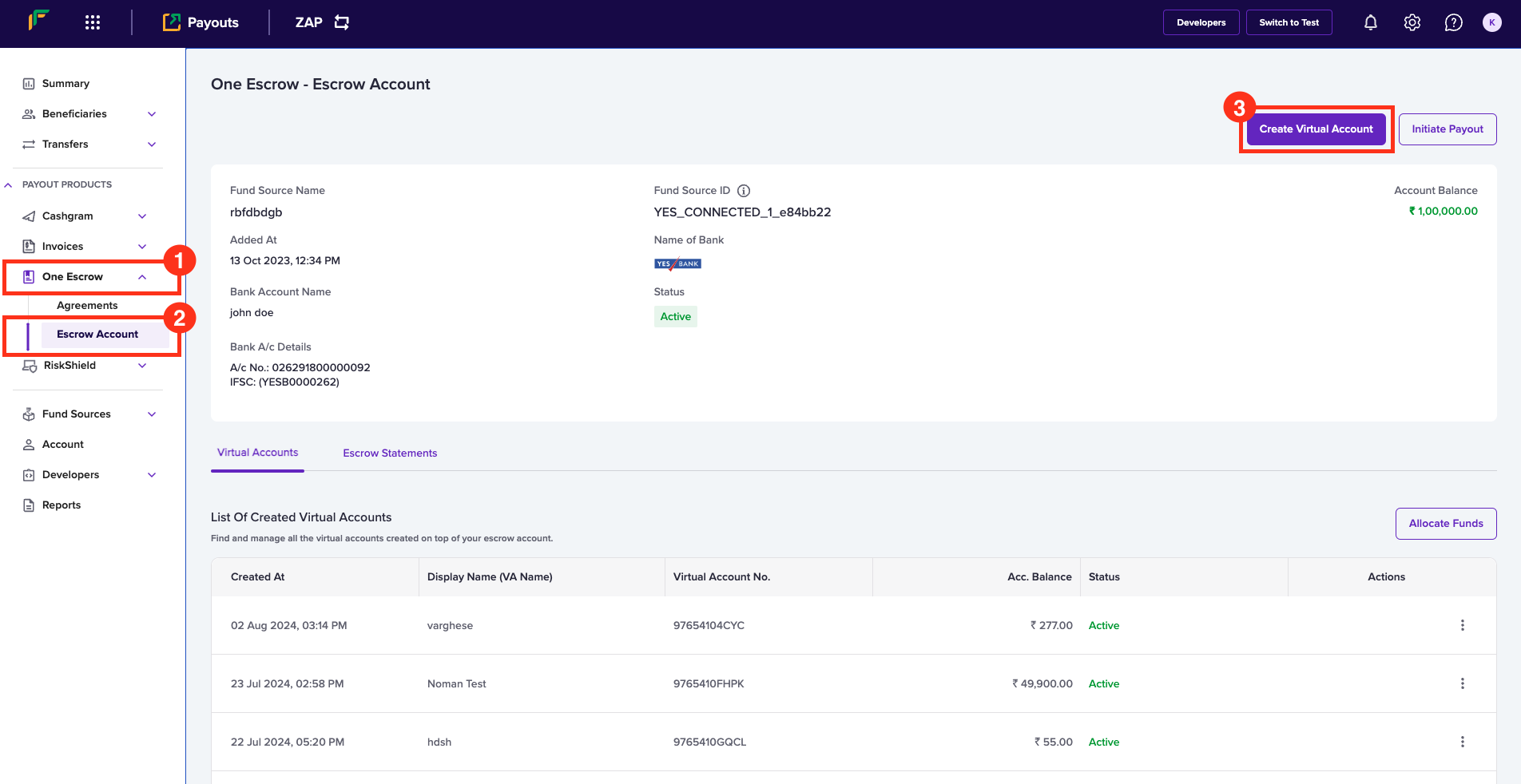
- In the Create Virtual Account (VA) popup, enter the following information:
- Display Name - Enter the name you want to display for the virtual account.
- Account Prefix - Enter the account prefix as allocated by the bank.
- Choose Escrow Account - Use this field to select the escrow account.
- Click Submit.
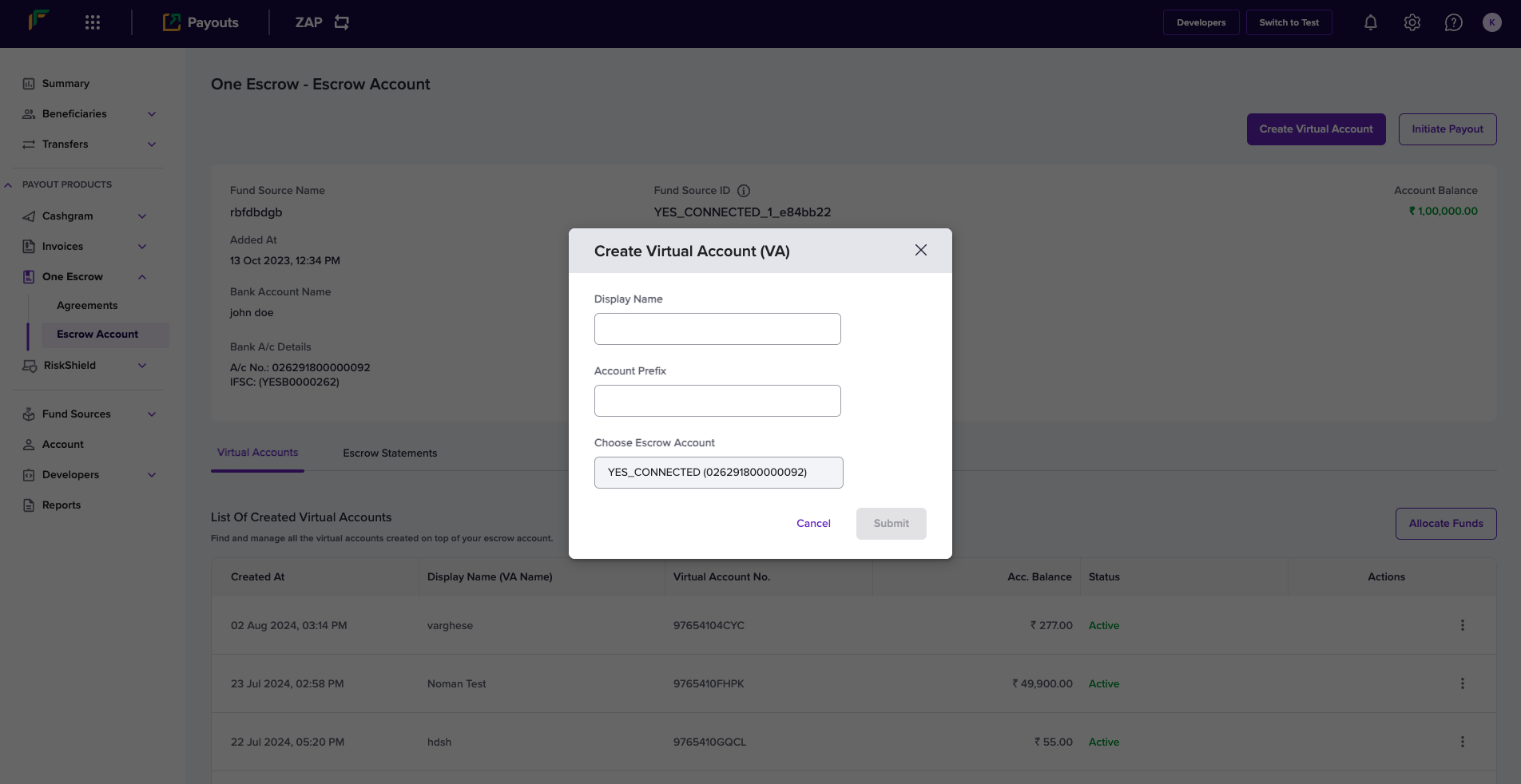 Your virtual account will be successfully created, and the popup will display the account number and IFSC information.
You can find the bank account information of the virtual account in the
dashboard to recharge the account.

