

Delete a virtual account
Follow the instructions below to delete a virtual account:- Login to the Payouts dashboard using your credentials.
- From the navigation pane, click One Escrow > Escrow Account.
- You can view the created virtual accounts under Virtual Accounts > List of Created Virtual Accounts.
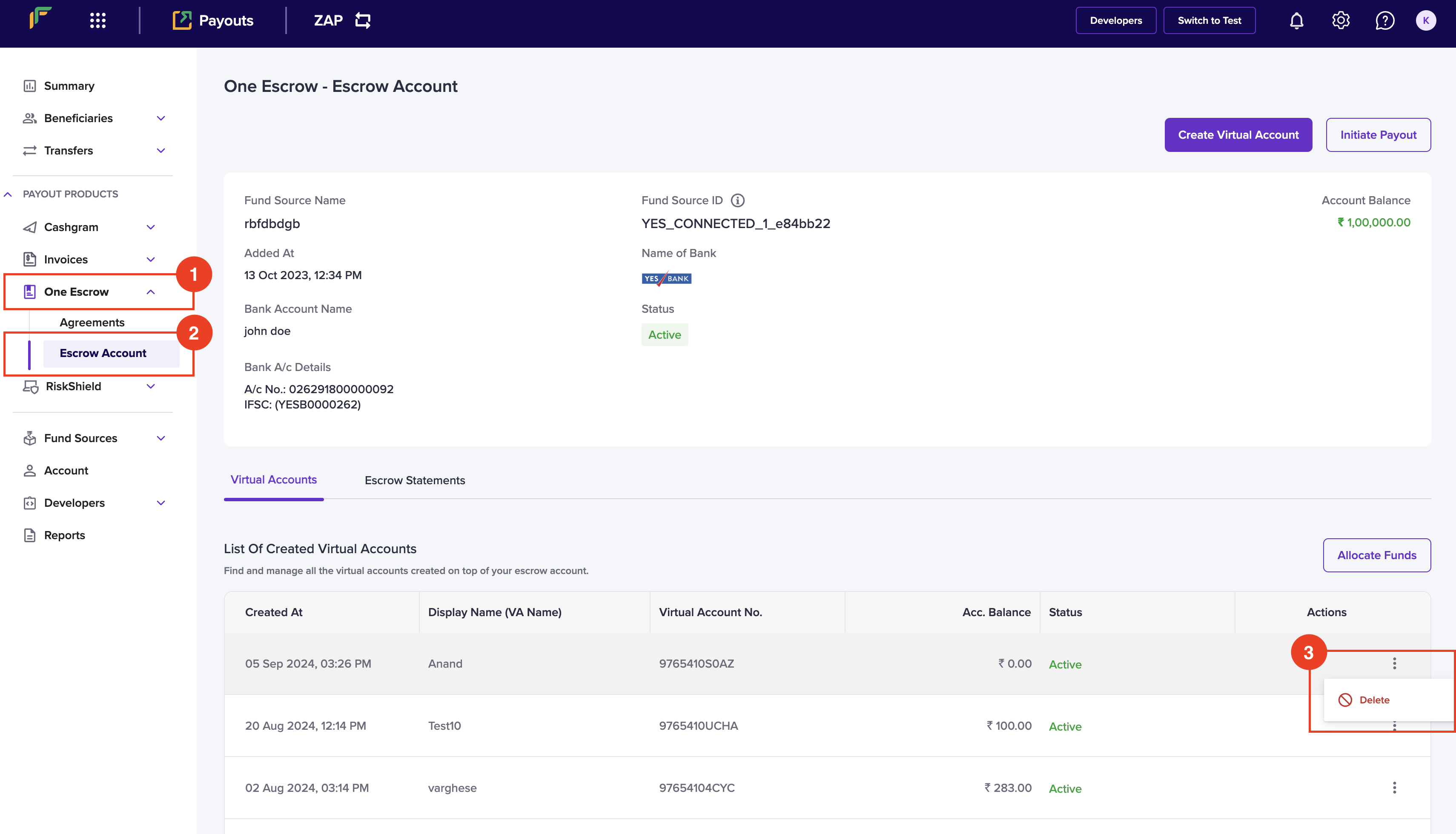
- Click the ellipses icon against the virtual account you want to delete, and click Delete.
- Click Delete in the Delete Account popup.
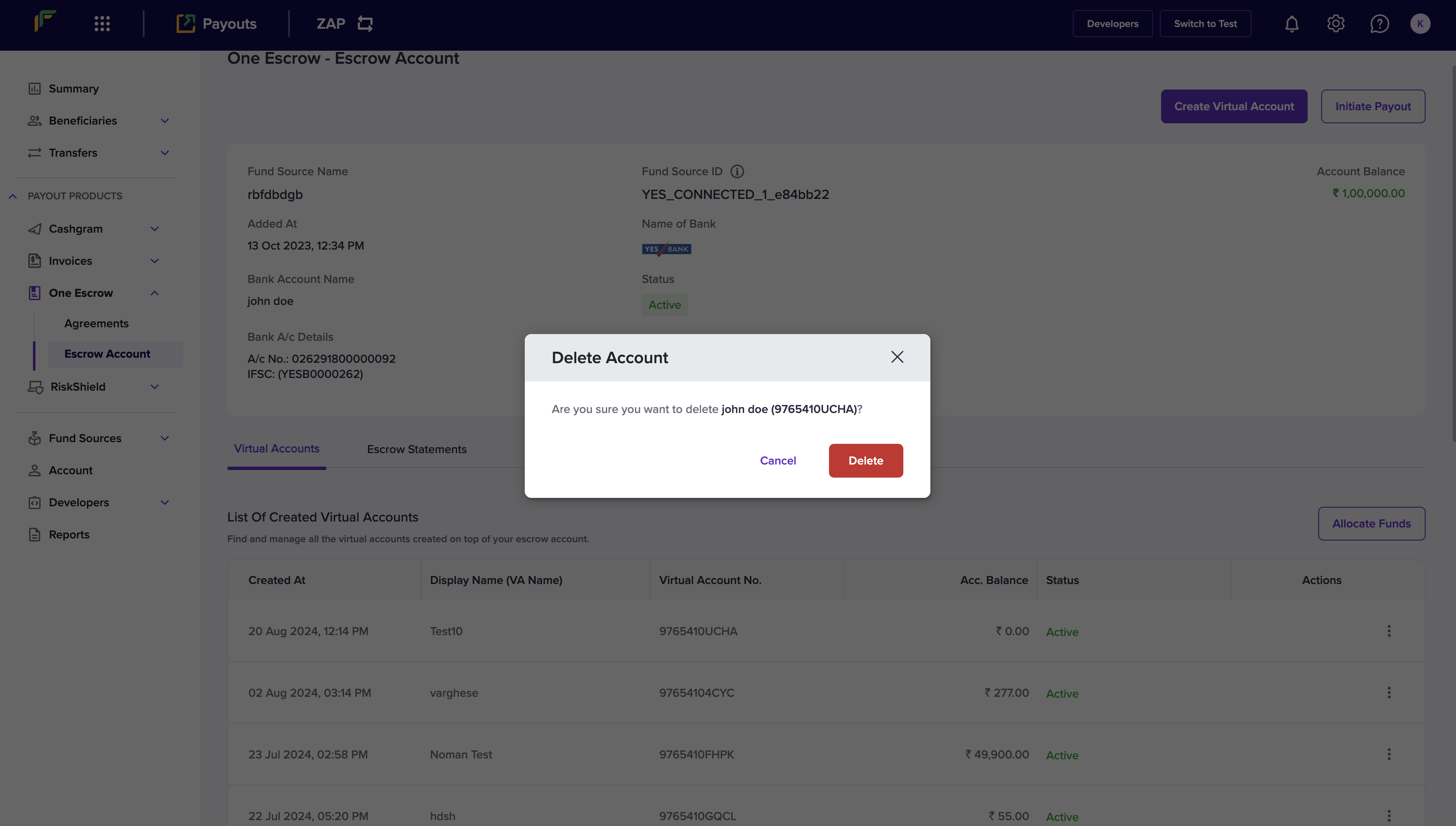 Your virtual account will be successfully deleted.